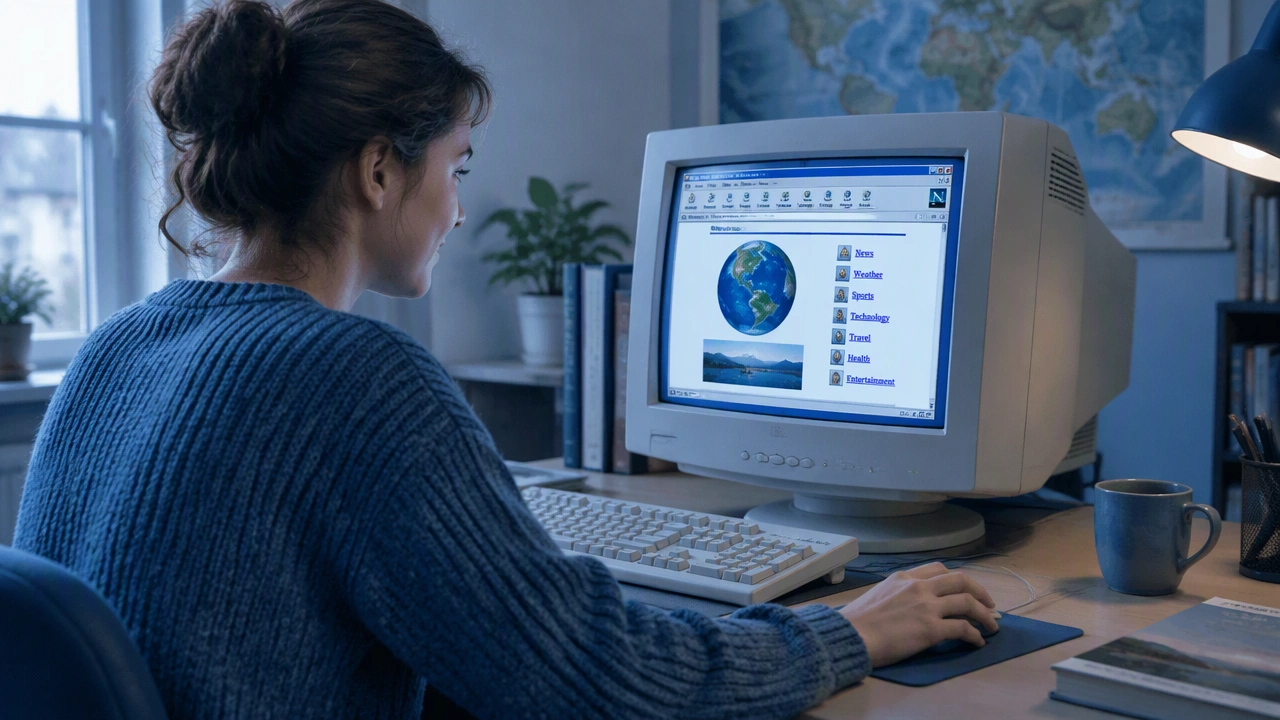
How Graphical Browsers Turned the Web Into a Place Ordinary People Could Explore

The internet did not become widely useful simply because more computers were connected. It became approachable when software helped people see where they were, what they could open, and where they might go next. Graphical web browsers turned a technical network into a landscape of pages, links, images, and familiar controls. In the history of the internet, this shift was less about adding decoration than about replacing specialist knowledge with visible cues.
How did graphical web browsers make the internet easier for ordinary people to use? They translated addresses, documents, and connections into a visual language that did not require command-line fluency. A person could point, click, read, and move backward through pages without remembering the underlying instructions.
Before the browser: the internet required translation
Early network users relied on text-based tools to transfer files, read messages, and reach remote systems. These tools worked well for trained users, but they placed a heavy burden on memory. People had to know the correct command, the right kind of address, and the expected structure of the resource they wanted to open. Errors were common because the system offered little visual context.
Text interfaces also made the shape of information difficult to perceive. A directory could show names, but it could not easily suggest the relationship between a document, an image, and the next place a reader might want to visit. The network was connected in principle, yet navigation still felt like operating machinery.
That barrier was social as much as technical. Learning the internet meant learning a new set of conventions before the content itself became available. Graphical browsers reduced that entry cost by presenting resources as pages rather than as commands and file paths.
Mosaic and the visual arrival of the web
In the early 1990s, the World Wide Web combined several ideas that had been developing across the internet: documents, links, addresses, and a way to request them. Early web software could display pages, but graphical browsers made the system legible to a much broader audience.
Mosaic, developed at the National Center for Supercomputing Applications, became an important example of this change. It placed text and images in the same window and made links visually distinct. A reader did not need to understand how a file was stored on a distant computer; the page itself showed what could be selected.
This design created a simple mental model. The internet was a collection of pages, and pages contained doors to other pages. The model was imperfect, but it was easy to remember. It also gave browser makers a shared vocabulary: address bars, back buttons, reload controls, bookmarks, and status messages.
Why pointing and clicking changed the experience
Graphical browsers replaced several difficult tasks with direct manipulation. Instead of typing a command, a person could click a highlighted phrase. Instead of reconstructing a path through directories, a person could press a back button and return to the previous page. Instead of guessing whether a resource was available, a browser could show loading progress, an image, or a clear error.
These details mattered because they made mistakes recoverable. A wrong turn did not have to end the session; it could be reversed. A broken link did not have to appear as an unexplained failure; the browser could communicate that the page was unavailable. The interface gave ordinary users feedback at the moment they needed it.
Visual organization also helped people scan. Headings, paragraphs, lists, and images created landmarks within a document. Readers could recognize structure before reading every line. This made long or unfamiliar material easier to approach and allowed people with different levels of technical confidence to use the same network.
Netscape, Internet Explorer, and the browser as a public doorway
As graphical browsers spread, the web became a mass medium rather than a specialist tool. Netscape Navigator brought the browser to homes, schools, and businesses, while later competition between browsers accelerated changes in speed, reliability, and features. Internet Explorer became widely distributed through personal computers, making browser access part of the everyday experience of owning a machine.
The browser window became a public doorway. People did not need to know which institution maintained a server or how a document was physically delivered. They needed a readable address, a visible link, and a control that let them return to where they had started. This separation between the user and the network’s internal machinery was central to ordinary adoption.
Browser competition also encouraged richer pages. Support for images, styles, multimedia, and interactive elements made the web feel less like a pile of text files and more like a set of designed experiences. The browser was no longer only a viewer; it was the environment in which the internet was encountered.
The navigation habits we now take for granted
Many habits associated with the modern web were established by graphical browsing. People learned to read an address bar, recognize a hyperlink, keep a bookmark, and move through history. These actions formed a basic grammar of online navigation that could be learned without formal training.
The back button deserves particular attention. It gave users permission to explore. Because the route home was visible and dependable, curiosity became less risky. A reader could follow an unfamiliar link and still return to a known starting point. That small guarantee changed the emotional quality of using the internet.
Graphical browsers also made content feel shared. A page could be shown to someone else, discussed in the same visual sequence, and revisited later. The web became easier to explain because its structure could be pointed at rather than described only through technical terms.
From specialist network to everyday place
Graphical browsers did not remove all complexity from the internet, and they introduced new problems of their own. Pages could be cluttered, links could break, and visual design could hide important information. Yet the central achievement was durable: browsers made the network navigable for people who were not specialists.
They did this by turning invisible relationships into visible actions. An address became something to read. A connection became something to click. A path through information became something to retrace. By giving ordinary users a stable set of cues, graphical browsers helped the internet move from a technical system people operated to a place people could simply use.